
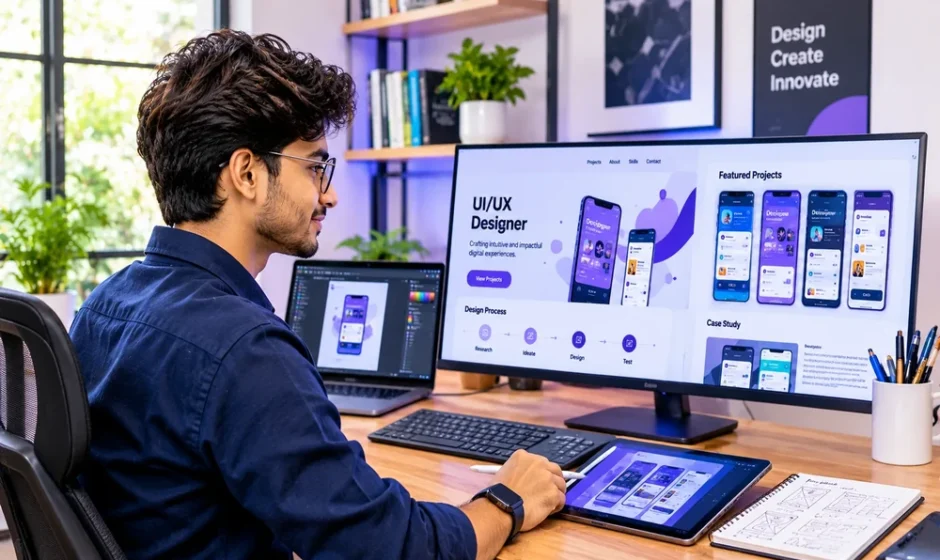

Every UI/UX job listing asks for a portfolio. Every beginner asks the same question: how do I build one when nobody has hired me yet?
The good news is that hiring managers know beginners have no client work. What they are checking is something else: whether you can think through a problem, make sensible design decisions and explain them clearly. A portfolio with two or three well-told case studies can do that better than ten pretty screens.
This guide shows what employers look for, how to choose projects when you have no clients, and three ready-to-use case study templates.
The short version: build two or three case studies, not ten. For each one, show the problem, your process, the decisions you made and what you learned. A portfolio that shows how you think is more convincing than one that only shows polished final screens.
What hiring managers actually look for
A design lead going through a stack of beginner portfolios usually has a few minutes for each. They tend to check:
- A clear problem. Do you understand who the design is for and what it should achieve?
- Process, not just visuals. Is there research, structure and iteration behind the screens?
- Decision-making. Can you explain why you chose a layout, a flow or a component?
- Basic craft. Is the layout consistent, readable and tidy, with sensible spacing and type?
- Communication. Can you tell the story in plain, concise language?
- Honesty. Is it clear what was your work, and what was a concept or class project?
Notice that none of this requires a paying client.
Where to find projects when you have no clients
Good beginner projects come from three places.
- Redesign something real. Pick an app or website you actually use that has a clear usability problem. Identify it, document it and propose improvements.
- Create a new concept for a real need. Choose a problem that people around you face, such as booking a clinic appointment, comparing rental flats, or tracking a local train pass, and design a solution.
- Help a small business. A local shop, clinic, trainer or student club often needs a simple website or booking page. Offer to design it, with their permission to show the work.
Always label your projects honestly. Write “concept redesign” or “self-initiated project” where it applies, and never imply you worked for a brand that did not hire you.
Template 1: The redesign case study
Best for showing that you can spot and fix real usability problems.
Structure:
- Overview. One short paragraph: what you redesigned, your role and the tools used.
- The problem. What is wrong with the current experience? Show two or three screenshots and mark the issues, such as hidden navigation, confusing steps or poor contrast.
- Who it is for. A short description of the user and what they want to do.
- Research. Short interviews with three to five users, or an audit of the existing flow. Summarise what you learned.
- Ideas and decisions. Show sketches or wireframes, and explain the main choices you made and why.
- The new design. Before-and-after screens for the key flow, plus a clickable prototype link.
- Testing. Ask a few people to attempt a task, and note what worked and what you changed.
- Reflection. What would you do next, and what did you learn?
Numbers to include when you can: the number of steps removed from a flow, task completion in your test, or how many testers found the new version easier.
Template 2: The end-to-end concept case study
Best for showing the whole design process from research to prototype.
Structure:
- The opportunity. A real problem people face, in one or two sentences.
- Goals and constraints. What success looks like, and limits such as time or platform.
- User research. Interviews or a short survey, with key findings summarised in a few bullet points.
- Personas and journey. One or two simple user profiles and a map of their steps.
- Information architecture. A sitemap or flow showing how the product is organised.
- Wireframes. Low-fidelity screens that show structure first.
- Visual design. Colours, type, components and a small style guide.
- Prototype and testing. A clickable prototype, usability tests with about five people, and the changes you made.
- Outcome and next steps. What the design achieves and what you would test next.
This template takes longer, so use it for your main project.
Template 3: The small client or community project
Best for showing that you can work with a real person and deliver something usable.
Structure:
- The client and brief. Who they are, what they needed and your role.
- Discovery. What you asked them and their customers, and what you learned.
- Scope. What you agreed to deliver, and what you left out.
- Design work. Key screens or pages, with notes about choices that suit their audience, devices and budget.
- Feedback and changes. How the client reacted and what you changed.
- Delivery. What you handed over, such as a Figma file, a prototype or developer-ready specs.
- Result. Any real outcome, such as more enquiries or positive client feedback, with their permission.
- Reflection. What you learned about working with clients.
Even one small client project shows that you can handle feedback, which many beginner portfolios cannot.
How to structure the portfolio itself
Keep the portfolio simple:
- Home page: a short introduction, the role you want and your two or three best case studies.
- Case studies: one page each, using one of the templates above.
- About: a short note on your background and what you are looking for.
- Contact: your email and LinkedIn link.
You can host it on Behance, Notion, Framer, Webflow or your own site. Choose a tool you can update quickly, and make sure it opens fast on a phone, because many recruiters check it there.
Craft checks before you publish
Small details signal professionalism. Before you share a case study, check:
- Consistent spacing and alignment using a clear grid.
- Readable text. Body text should have sufficient contrast, and a ratio of at least 4.5 to 1 is the usual accessibility target for normal text.
- A limited type system of one or two fonts with clear hierarchy.
- Real content, not placeholder text, in the final screens.
- Reusable components in Figma, which also helps you explain your work to developers.
- A prototype link that works and opens without a login.
Mistakes that weaken beginner portfolios
- Showing only final screens. Employers want to see how you got there.
- Too many projects. Two or three strong ones are better than eight thin ones.
- Copying trends without reasons. Every choice should have a purpose you can explain.
- Using fake metrics. Never invent numbers, and report only what you actually measured.
- Not saying what you did. Be clear about your role, especially in group projects.
- Long, unfocused writing. Use short sections, clear headings and visuals.
A simple four-week plan
| Week | Focus |
|---|---|
| 1 | Choose a project, define the problem and talk to three to five users |
| 2 | Sketch, map the flow and build wireframes |
| 3 | Design the visual screens and build a clickable prototype |
| 4 | Test with five people, revise, write the case study and publish |
Repeat the process once more with a different template, and you will have a credible starting portfolio in about two months.
Frequently asked questions
How many projects should a beginner portfolio have? Two or three well-explained case studies are enough. Quality and clarity matter more than quantity.
Can I include college or course projects? Yes, as long as you explain your role and what you learned. Label them honestly.
Do I need to know how to code? Not usually for design roles, but understanding basic HTML and CSS helps you work with developers and make realistic designs.
Which tool should I use? Figma is widely used for design and prototyping, so it is a sensible choice. The ideas matter more than the specific tool.
Should I put my portfolio on Behance, Dribbble or my own site? Any of them can work. A simple personal site or Notion page with full case studies usually tells your story better than image-only galleries.
The bottom line
You do not need clients to start. You need a real problem, a clear process, honest storytelling and a bit of testing. Build two or three case studies with the templates above and you will have something worth showing in interviews.
If you would like mentoring and live project work while you build your portfolio, you can explore Freelancers Academy’s UI/UX design course in Mumbai and ask how it supports portfolio development.